

2026.7.1 with the official Moonshot Provider and Kimi K3 for Chat Completion. The old K2.5 preset was retired together with kimi-k2.5 and is not a configuration target in this guide.
Prerequisites
Complete these prerequisites before you start. Follow the official installation, source, and account links below; this guide focuses only on configuring Kimi in OpenClaw.Install OpenClaw
Install or update OpenClaw using the official entry point.
View OpenClaw source
Review the official repository, releases, and change history.
Create a Kimi API key
Create and keep private an API key from the international Kimi Open Platform.
Set up Kimi K3
Make sure OpenClaw is installed from the prerequisites above, then install or update the official Moonshot Provider:- Step 1: Model.auth provider > Choose Moonshot
- Step 2: Model AI auth method > Choose Kimi API key (.ai)
- Step 3: Enter Moonshot API Key (.ai) > Enter your international API key
- Step 4: Default model > Set it to
moonshot/kimi-k3after onboarding
Screenshots from the old onboarding flow may still show the historical
Moonshot AI (Kimi K2.5) or moonshot/kimi-k2.5 preset. This guide no longer uses that preset; follow the text steps and the K3 model selector screenshot below, and do not keep the old default model.models.providers.moonshot.models in ~/.openclaw/openclaw.json, keeping existing models:
max reasoning setting. contextWindow remains 1M; maxTokens is set to 8192 as the OpenClaw per-reply limit, so the 1M input window is not mistaken for a 1M output limit. Keep maxTokensField: "max_tokens", supportsUsageInStreaming: false, and requiresStringContent: true for K3 compatibility: K3 treats max_completion_tokens, streaming usage, and array-form pure-text content differently.
Step 4: Start using OpenClaw
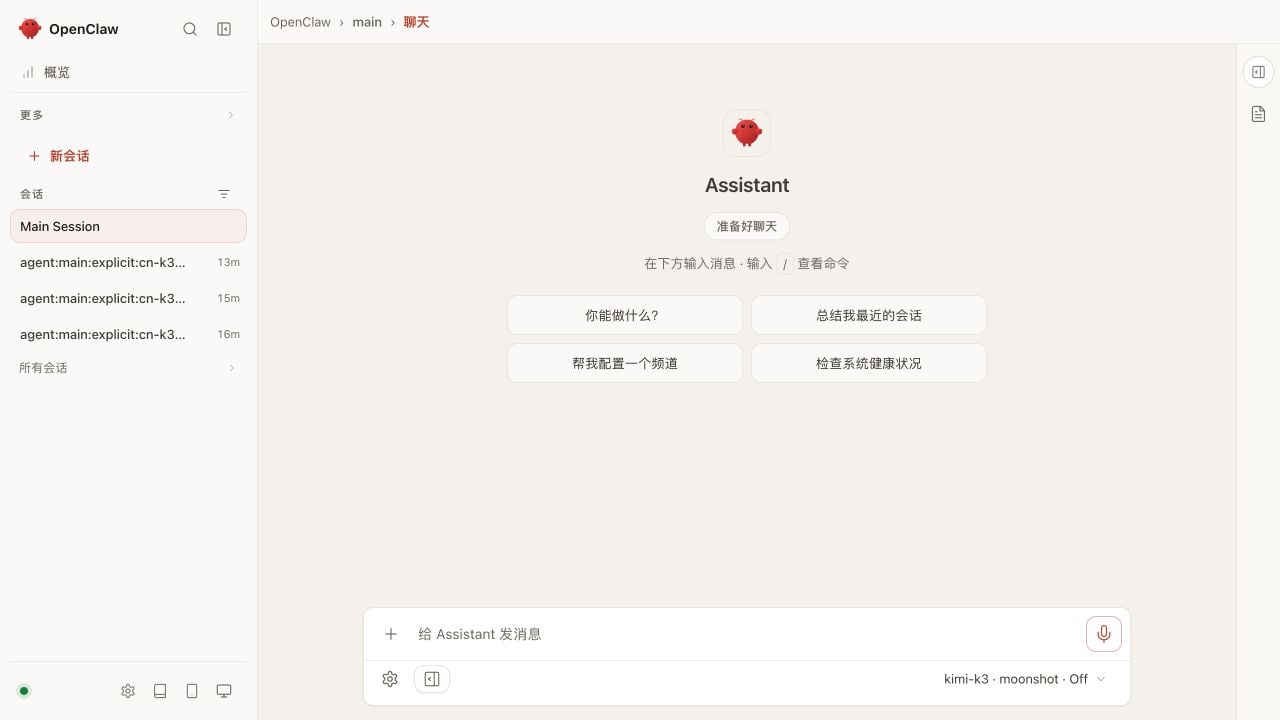
After installation, open the Control UI address shown by the onboarding wizard or Gateway output. The bottom of the Control UI should showkimi-k3 · moonshot.
You can now send messages in the chat page. The model selector screenshot is shown above:
Troubleshooting
401 / Invalid Authentication
- Confirm that you are using a Kimi Open Platform API key, not a Kimi Code key.
- Use
moonshot-api-keyfor an international key; use the Chinese edition for a China-region key. - If an old key is already present in the environment, rerun onboarding and enter the international key again.
The Moonshot authentication option is unavailable
Make sure the official Provider is installed and the Gateway has been restarted:K3 is missing from the model list
Upgrade OpenClaw and the Moonshot Provider. If it is still missing, add the K3 entry from Step 3 and runopenclaw models set moonshot/kimi-k3 again.
For more Kimi API guidance, see Troubleshooting.